
How to adapt screen content throughout the retail day
A practical method for organising digital signage content by time, purpose and store area without creating an unnecessary number of campaigns.
The same message is not equally useful at opening time, during peak footfall or shortly before closing. Adapting screen content throughout the day helps retailers address customers’ immediate needs while supporting the operational priorities of store teams.
This approach, often called daypart scheduling, does not require a different campaign every hour. It relies on a small number of clear scenarios linked to specific times, locations and objectives. The following method helps build that structure without adding unnecessary work to daily content management.
Why should messages change during the day?
The context inside a store changes continuously. Footfall varies, individual services open or close, teams launch operations and visitors do not have the same expectations at every hour. A screen near the entrance might introduce available services in the morning, feature a commercial activation during the day and display practical information before closing.
The aim is not to fill every minute of airtime. It is to make each message relevant when it appears. This principle strengthens a digital signage strategy for supermarkets and specialty retail by connecting content with real store operations.
Start with the store’s operational rhythm
Before designing visuals, map out a typical day. The most useful periods will not necessarily be identical across every location in a retail network. They depend on opening hours, available services, local shopping patterns and the role assigned to each screen.
- Before opening or during preparation: operational instructions, internal reminders and information for staff on the appropriate screens.
- At opening time: welcome messages, service hours, directions and practical information for the first visitors.
- During active trading periods: current campaigns, featured categories, services and content related to the area around the screen.
- At peak times: short messages that can be understood immediately by people who are moving through the store.
- Before closing: opening-hour reminders, service availability and information that helps customers plan the end of their visit.
Keep this map manageable. Three or four broad periods are often enough at the beginning. Too many time slots make production, approval and editorial maintenance harder to control.
Give every screen a clear purpose
Time should never be the only criterion. A message that is useful at midday may still fail if it appears in the wrong place. At the entrance, a screen can provide an overview and help with navigation. In an aisle, it should relate directly to the nearby offer. In a waiting area, it can present services or more detailed information. Screens near checkout require a different editorial approach because the viewing context and exposure time are different.
Hardware choices also matter: portrait or landscape orientation, viewing distance, brightness, location and possible interactivity. The requirements for professional displays should therefore be considered before producing all the content formats.
Build a simple scheduling matrix
A matrix that combines locations and time periods turns broad intentions into an actionable plan. For each combination, the team records the objective, audience, type of message, approval owner and validity dates. This overview helps prevent screens from being overlooked and campaigns from continuing after they are no longer useful.
- List the screens and group them by purpose: welcome, navigation, aisle communication, promotion, waiting area or internal communication.
- Define the main periods of the day using actual operational constraints.
- Assign one primary objective to every location-and-time combination.
- Prepare evergreen fallback content so a screen never depends entirely on a temporary campaign.
- Ask communication and operations teams to approve the matrix before producing the variations.
Produce fewer assets and adapt them more effectively
Adapting messages does not mean starting from scratch for every screen. One main campaign can produce several versions: a very short asset for a high-traffic area, a contextual version for an aisle and a more informative version for a waiting area. Content creation should consider duration, legibility, format and viewing context from the initial brief.
It is also useful to separate content into three groups: evergreen, seasonal and reactive. Evergreen content introduces long-term services. Seasonal content follows the commercial calendar. Reactive messages respond to a temporary situation. This classification simplifies updates and reduces the risk of obsolete information remaining on screen.
Schedule content across a network without losing control
For a retail network, governance is as important as distribution. Head office can define shared campaigns, templates and calendar rules, while stores manage authorised local information. The organisation should clearly identify who creates, approves, schedules and removes each item.
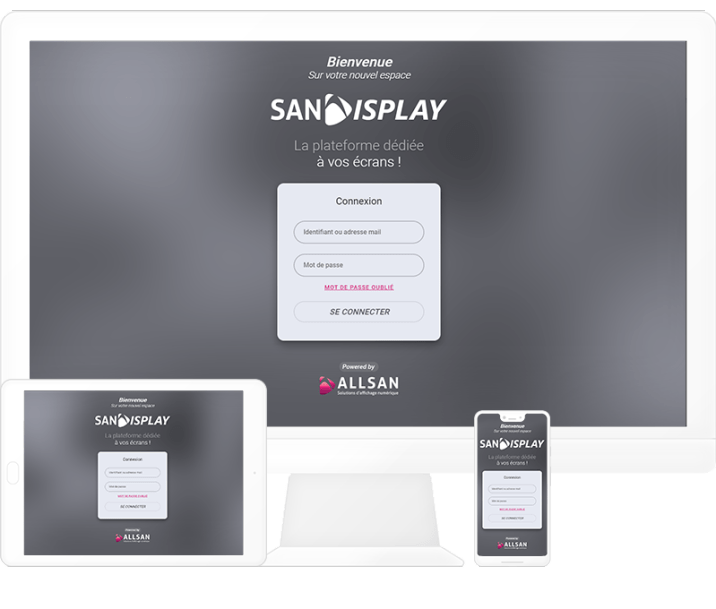
Developed by ALLSAN, SanDisplay enables teams to create, schedule, distribute and remotely supervise content across a screen network. Scheduling by date, time and screen translates the editorial matrix into daily operations while maintaining an overall view of the system.
Which indicators should teams monitor?
Monitoring should not focus only on the number of assets produced. Teams can review whether updates happen on time, whether campaigns are removed as planned, whether content matches its location, whether messages are legible on site and what store managers report. The purpose is to identify unnecessary slots, excessive repetition and messages requiring stronger context.
Common mistakes to avoid
- Creating numerous time slots before the essential scenarios have been tested.
- Playing the same loop on every screen regardless of location.
- Setting a start date without scheduling when the message should be removed.
- Producing long sequences for areas where customers only pass by.
- Forgetting fallback content when no commercial campaign is active.
Start small and build an operational model
A practical starting point is to select a few representative screens, define three or four periods and test the matrix over a complete commercial cycle. Feedback from the store floor can then guide adjustments to schedules, formats and responsibilities before wider deployment. To structure this approach across your network, contact ALLSAN about your project.