
In-store QR code games: how to prepare deployment
Screens, placement, instructions, prizes and support: an operational method for deploying a QR code game in one store or across a retail network.
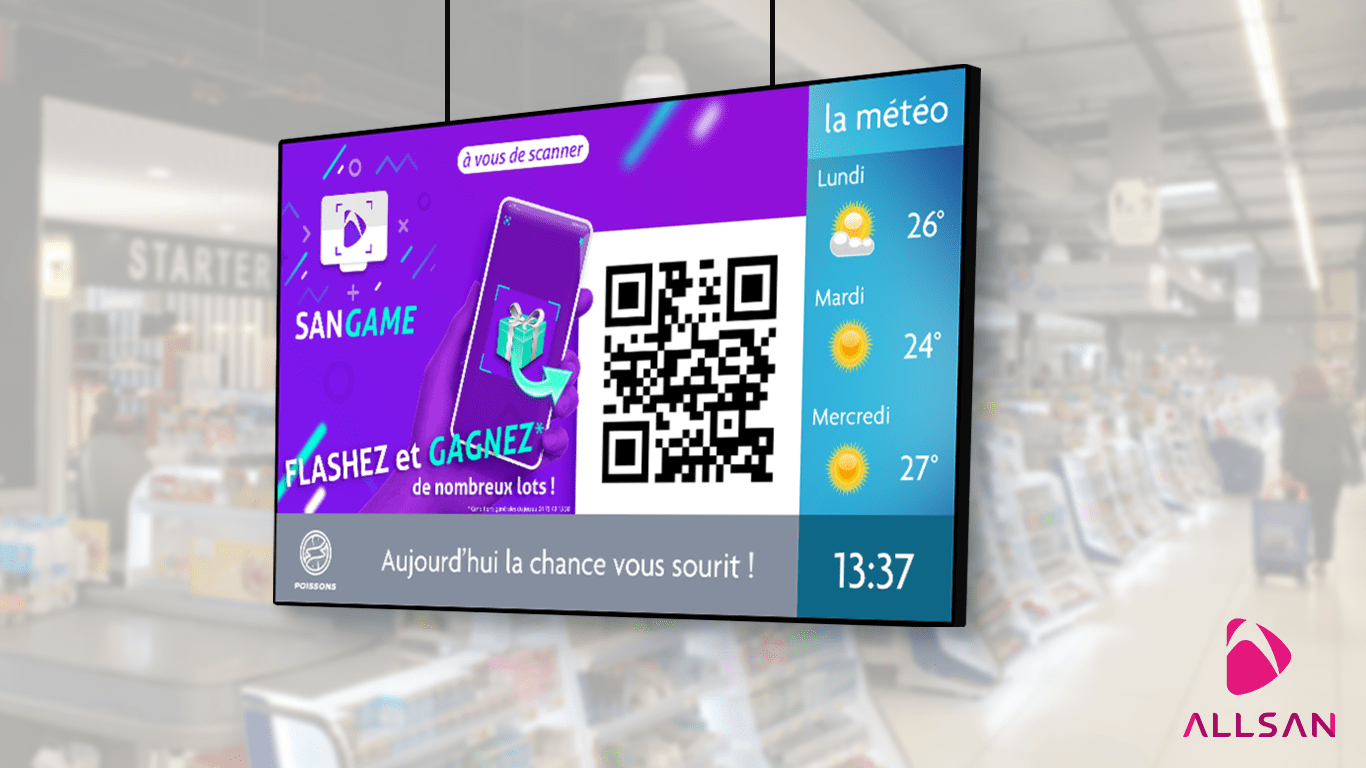
A QR code game can turn an in-store screen into the starting point for a participatory experience. The customer journey appears simple: notice the invitation, scan the code and play on a smartphone. For the retailer, however, the campaign requires careful preparation if it is to remain clear, smooth and easy to operate.
The challenge is not limited to designing an attractive game. Its role in the customer journey must be organised, store-level questions anticipated and staff given a clear framework. The following deployment method applies to both a one-off campaign and a network of stores.
Start by defining the campaign's role
Before producing any artwork, set one primary objective. The game might support a seasonal promotion, accompany an event, animate a particular area or create an additional touchpoint around a screen. A single objective makes subsequent decisions about the message, location and campaign period easier.
Also define what should happen after someone plays. The journey may simply end with the result, or continue with an instruction related to the campaign. If prizes are involved, the conditions for allocation and collection need to be clear to participants and staff. SanGame can be used to organise interactive games on screens, with participation initiated by scanning a QR code on a smartphone.
Choose the screen according to the usage context
The best screen is not necessarily the one in the busiest location. It should be visible in an area where visitors can understand the invitation and take out their phones without obstructing circulation. A waiting area or promotional space may work better than a narrow aisle or a location that demands an immediate decision.
Review the reading distance, reflections, QR code height and potential obstacles. The code must remain large enough and provide sufficient contrast within the layout. Choosing professional displays also involves orientation, brightness, any required interactivity and operating pattern. As part of a broader in-store digital signage project, the game should complement rather than obscure other messages.
Build a sequence people understand within seconds
Visitors should not have to wait through a long loop to discover that they can participate. The sequence on screen must immediately answer three questions: what is happening, how can I take part and what should I do afterwards? The QR code does not replace the explanation; it is the action point.
- A short headline introduces the campaign and gives people a reason to look.
- An explicit instruction tells visitors to scan the QR code with a smartphone.
- The code remains visible long enough to be noticed and scanned without rushing.
- A final instruction explains the next step, especially when a result or prize requires action in store.
Content creation should account for viewing at a distance and the available attention time. Limit the amount of simultaneous information, establish a clear text hierarchy and test animations under real conditions rather than only on a computer monitor.
Prepare the store before the game goes live
An interactive campaign becomes difficult to operate if staff discover it at the same time as customers. Provide a short briefing sheet covering dates, screen location, how to participate, answers to common questions and the contact person for incidents. If prizes are collected on site, specify who holds them and the internal procedure to follow.
- Test the QR code on several smartphones before launch.
- Check the display from the visitors' actual viewing position.
- Complete the entire journey, from the first glance to the result screen.
- Confirm that staff can explain participation without improvising the rules.
- Prepare a simple procedure in case the display, network or smartphone journey becomes unavailable.
Control deployment across multiple stores
For a retail network, the main risk is a gap between the campaign planned centrally and its local execution. Create a consistent kit for every site: approved artwork, schedule, rules, staff briefing, recommended location and checklist. Appoint a central owner and a contact in each store so that every question quickly reaches the right person.
A pilot in a limited number of stores can reveal comprehension or placement issues before wider deployment. Useful feedback is very practical: is the QR code noticed, do customers understand the instruction, where do they stop and what do they ask staff? These observations allow the format to be adjusted without automatically attributing every difficulty to the game itself.
Assess the campaign using relevant indicators
Indicators should follow from the original objective. Depending on the tools and data actually available, assessment may cover the installation's visibility, participation, journey completion, prize handling or requests received by staff. Compare stores, locations and periods carefully: footfall and exposure conditions may not be equivalent.
If the journey involves collecting personal data, decide before launch which information is genuinely necessary, how participants will be informed and which retention rules apply. Treat this as an integral part of the project rather than an addition made after the game has been designed.
Make the game a coherent customer journey step
A QR code game performs its role best when it fits naturally into the space, the communication programme and staff routines. With SanGame, the screen invites participation, the smartphone supports the interaction, and the screen can show the game's progress or result depending on the scenario. Operational success then depends on clear instructions, relevant placement and coordination between central and local teams.
Planning an interactive in-store campaign or a network-wide deployment? Share your customer journey, screens and operating constraints with the ALLSAN team to scope your SanGame project.