How to design a multilingual digital wayfinding journey
A practical method for choosing content, languages and screens to guide visitors effectively through tourism sites and public venues.
In a museum, heritage site, tourist office or public facility, wayfinding begins before a visitor asks for help. People need to understand where they are, where to go and which rules apply, sometimes without speaking the local language. Multilingual digital welcome points can make this first step easier, provided screens do not become overloaded noticeboards.
Success depends less on the number of devices than on a consistent visitor journey. Location, information hierarchy, language choices and content updates must be planned together. The following method helps organisations create a system that is useful to visitors and front-of-house teams alike.
Start by mapping visitors’ questions
Before selecting a screen or interface, observe the actual journey. Which questions are repeatedly asked at the entrance? Where do people hesitate? Which areas are hard to find? What changes during the day? This analysis separates permanent needs, such as locating accessible toilets, from variable information such as a temporary closure or a relocated tour meeting point.
A simple map can connect every touchpoint with a specific purpose. An outdoor screen prepares people for their visit, the lobby display presents immediate priorities, and a device at a junction confirms the direction. This avoids repeating the same slideshow everywhere and makes digital signage part of a genuine information journey.
Give every display point a clear role
- Before the entrance: today’s opening times, available access points, special conditions and initial directions to ticketing or reception.
- In the lobby: an overview map, priority activities, essential services and directions to the main areas.
- At junctions: one destination, one arrow, and a walking time or distance when that information can be maintained reliably.
- In waiting areas: practical guidance, visit preparation, instructions and discovery content suited to the available waiting time.
The display must also suit its surroundings. Size, orientation, brightness, viewing distance and interactivity requirements differ between a lobby, a window and an outdoor area. Professional displays should therefore be selected after reviewing uses and installation constraints, rather than serving as the project’s starting point.
Design information that is genuinely multilingual
Placing several translations on one page is not enough. As the number of languages grows, the space available for each message decreases. First identify priority languages from the audiences the venue actually receives. Then define an option for other visitors, such as a touchscreen language selector, a QR code leading to an appropriate resource or human assistance, depending on how the venue operates.
Critical information must be understood quickly. Direct wording, short sentences, consistent pictograms and stable terminology improve readability. The name of an area should not change between the welcome screen, printed map, wall signs and directions given by staff. Translation should communicate the operational meaning, rather than simply replacing individual words.
Separate stable information from urgent messages
Maps, service descriptions and general rules change infrequently. Today’s opening times, unavailable facilities, room changes and temporary instructions require much faster updates. By separating these two categories, operators can assign owners, establish an approval workflow and set a display period for every item of content.
SanDisplay digital signage software is designed to create, schedule, distribute and remotely supervise content across a screen network. At a tourist venue or across several sites, this can support recurring schedules while retaining the ability to amend operational information. The system still needs a clear internal rule: who can publish, to which screens, in which languages and until what date?
Provide several levels of assistance
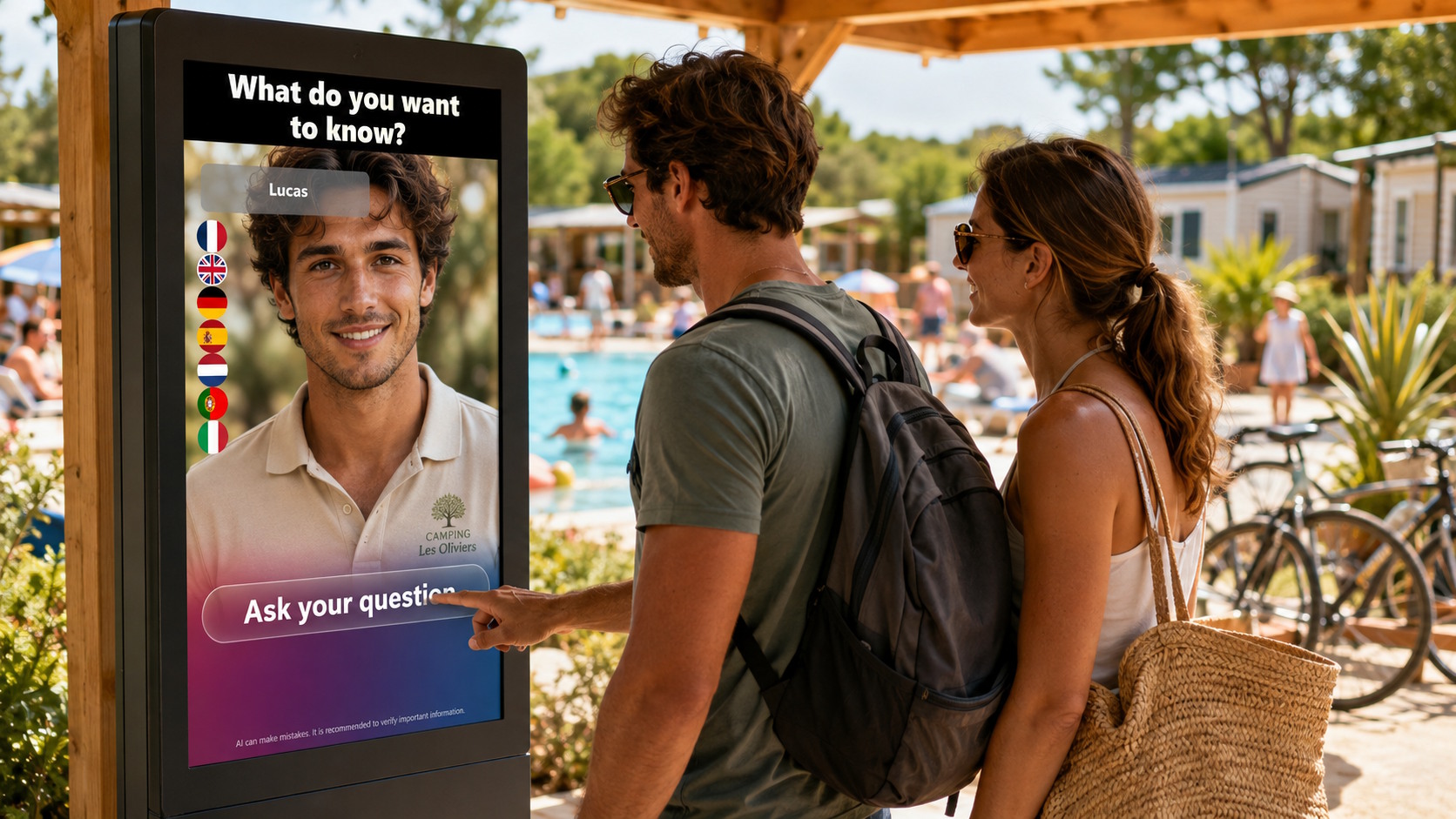
A shared screen answers common questions, but some requests require interaction. A conversational device can offer a first level of welcome when someone is looking for a service, an area or the right contact. SANIA combines a conversational AI avatar with a professional display to welcome, inform and direct visitors using content and services defined by the organisation. It should be installed where conversation feels natural and should not replace human assistance in sensitive or complex situations.
Test the journey before scaling it
- Select one entrance, one reception area and several representative destinations for a limited pilot.
- Ask people unfamiliar with the venue to complete the journey, using several languages where relevant.
- Observe hesitation, backtracking, questions asked of staff and information that visitors overlook.
- Correct wording, pictograms, contrast and device positions before extending the system to other areas.
Front-of-house teams should take part in this phase because they know the recurring questions and exceptions that theoretical plans often miss. After launch, a regular review can remove outdated messages, refine translations and confirm that digital information remains consistent with physical signs.
What makes a wayfinding journey useful?
A good digital journey does not try to display everything. It provides the right information in the right place, offers a practical option for international visitors and enables teams to respond when circumstances change. Its effectiveness can be assessed through direct observation: visitors reaching their destination without backtracking, fewer repetitive questions and the ability to correct inaccurate information promptly.
Planning a multilingual welcome journey for a tourism site or public venue? Contact us to discuss your touchpoints, content and the displays suited to your visitor flow.