
Professional display installation: what should you check before go-live?
A practical checklist for accepting professional displays, testing visual output, touch interactions and content delivery, and documenting go-live.
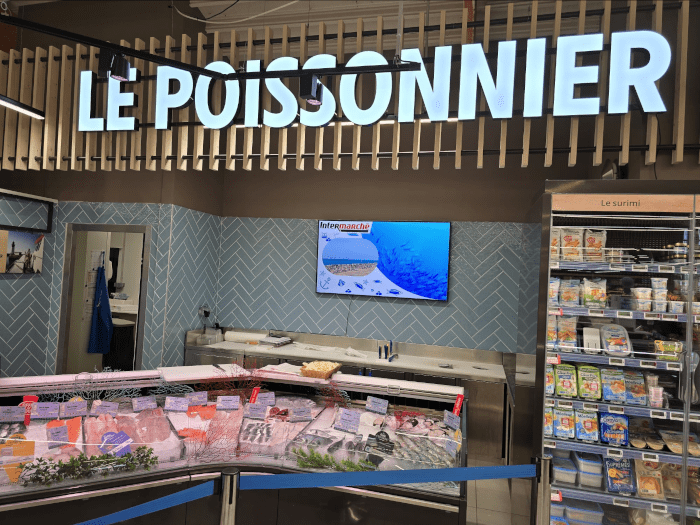
Accepting a professional display involves more than checking that it powers on. Before a site opens or a campaign goes live, teams need to inspect the physical installation, readability, content delivery, any touch interactions and the operating conditions. This prevents a loose fitting, intrusive reflection or incorrectly configured source from being discovered when the screen is already in use.
A shared acceptance method also makes multi-site rollouts easier to manage. Every device can be approved against the same criteria, whether the project uses professional digital signage displays, a freestanding totem, an interactive kiosk or a video wall.
Prepare the acceptance plan before arriving on site
Testing should start with the intended use rather than a generic specification sheet. A reception display, a shop-window screen and a kiosk viewed at close range face different constraints. The acceptance sheet should state the location, orientation, expected content, operating schedule and planned level of interaction.
Identify in advance who can approve the installation and who will resolve each outstanding issue. The installer may inspect the mounting, the IT team may check connectivity, and the communications manager may approve the content. This division of responsibilities prevents a screen from being declared operational when part of the delivery chain has not been tested.
Inspect the mounting and immediate surroundings
Begin with a visual and mechanical inspection. Check the visible condition of the display, its alignment, the stability of its support and the overall finish. Cables should neither obstruct circulation nor remain unnecessarily exposed. Access required for routine operation and maintenance must still be available after installation.
- Confirm that the format, size and orientation match the installation plan.
- View the screen from the main approach routes and reading positions.
- Look for reflections, backlighting or obstacles that conceal part of the message.
- Inspect the finish around the mount, furniture and cable routes.
- Ensure that useful controls and connections remain accessible to authorised staff.
Test readability under real conditions
An image that looks correct from a few centimetres away may be unreadable from the audience’s actual route. Acceptance testing should take place at normal viewing distances, with the venue’s usual lighting and, for a window display, at several representative times. Review text size, contrast, colours, motion and any cropped areas.
Use content similar to the material that will actually be shown. A test pattern can reveal certain faults, but it does not validate a promotional visual, video, wayfinding map or multizone layout. If both portrait and landscape modes are planned, make sure media remain correctly proportioned in the required orientation.
For a touchscreen, complete a full user journey
A touch test should not be limited to tapping the centre of the display. Test the edges, corners and main interface controls. The purpose is to identify any offset between the gesture and response, an area that is difficult to activate, or navigation that forces the user to start again.
A representative scenario provides better evidence: search for an item, open an information page, return to the home screen and then leave the kiosk inactive. This checks the flow, the return to the initial screen and the device’s ability to present a usable state to the next visitor. A custom touchscreen solution should be assessed as a complete service, not as an isolated display.
Validate the complete content delivery chain
A display may work correctly while showing the wrong content. Acceptance must therefore cover the source, network, any external player, software and schedule. Confirm that the right device is assigned to the right location, that its playlist is correct, and that publication dates and times match the approved plan.
- Send a clearly identifiable test asset to the selected display.
- Check its delivery, framing, orientation and readability.
- Change the schedule to confirm that an update is applied correctly.
- Perform a normal restart and observe whether the expected playback resumes.
- Confirm that the operations team can identify the display in its management tool.
SanDisplay, the digital signage software developed by ALLSAN, is used to create, schedule, deliver and remotely supervise content across a display estate. When it is included in a project, acceptance should cover access rights, device naming and a publishing test performed in the environment that the team will use every day.
Observe stability before signing off
An instant test cannot reveal every problem. Where the schedule permits, operate the system for a representative period with its normal playlist. This observation can uncover unexpected restarts, signal loss, frozen content or irregular behaviour after standby.
Describe every issue precisely: affected display, time, content on screen, action performed and observed result. A photograph can support the report. A useful snag is factual and reproducible; a vague statement such as “the display does not work properly” slows diagnosis and correction.
Document go-live and hand over to the operating team
The acceptance report should separate approved items, outstanding issues and remaining actions. It can also list devices, their logical locations, responsible contacts and useful instructions. This documentation becomes a reference for maintenance, future changes and the addition of new sites.
Go-live ends with a clear handover: who publishes content, who receives an alert, who performs the initial diagnosis and who contacts the integrator? A short session based on real operating situations is generally more useful than a purely theoretical presentation.
Three questions to answer before opening
- Is the message readable from the place where the audience will actually discover it?
- Does the system automatically resume the expected content after a normal restart?
- Does the local team know whom to contact and what information to provide if an incident occurs?
Planning an installation or accepting a display network? Contact ALLSAN to define the hardware, integration and go-live checks appropriate for your project.