
Tourist information screens: what content should you display?
Opening times, events, directions, alerts and multilingual information: organise screen content around the practical needs of visitors.
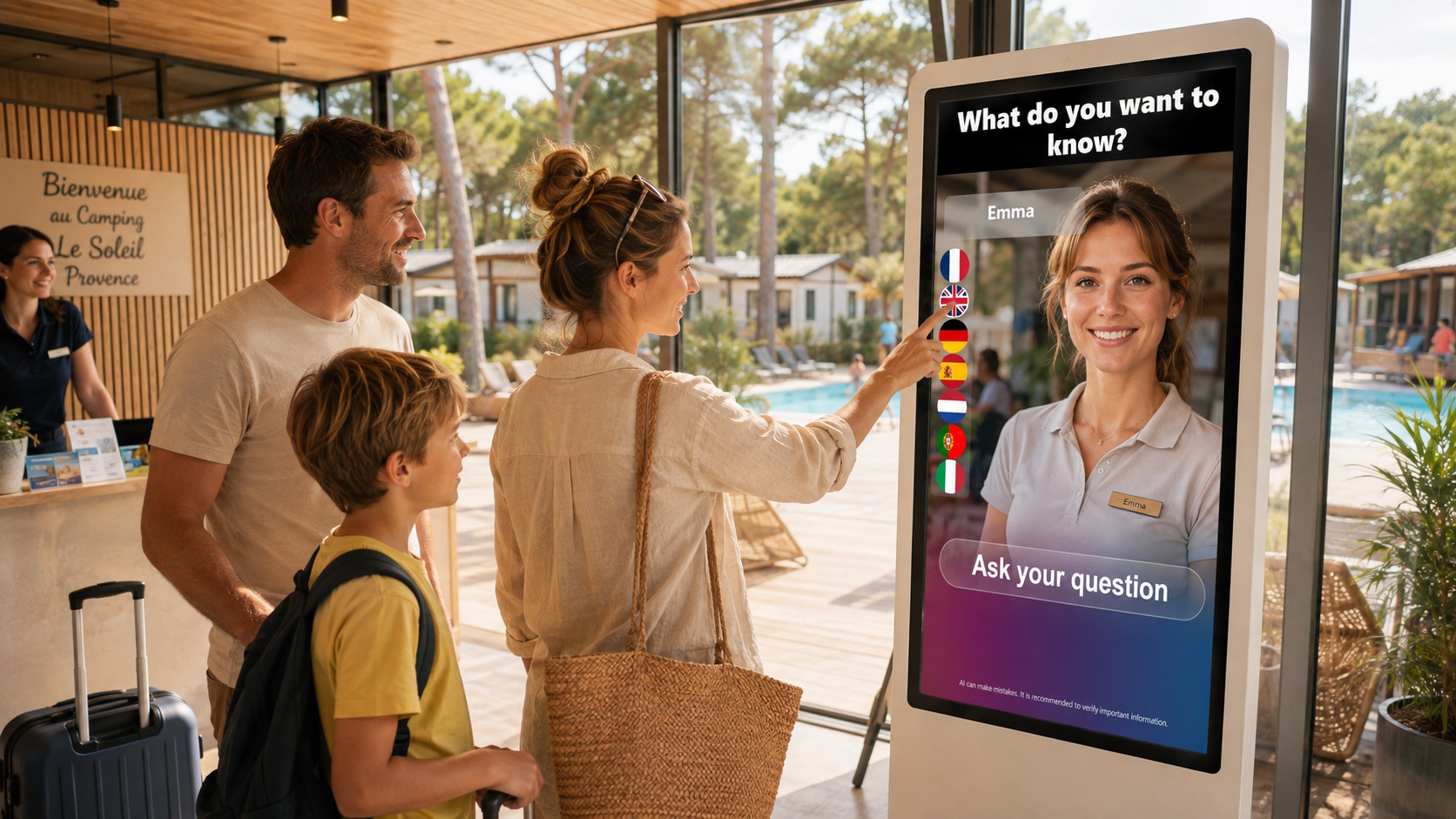
In a tourist information centre, museum, heritage site or public venue, a welcome screen should answer practical questions quickly: what can visitors do today, where should they go and what has changed? An attractive animation is not enough if people cannot find the information they need.
An effective system requires a clear editorial hierarchy, content that can be understood within seconds and an organisation able to respond to opening hours, visitor flows and unexpected events. The following method helps create a suitable content schedule for tourism and public-facing venues.
Start with the questions visitors ask on site
Content planning should begin with real visitor situations, not with the screen’s technical possibilities. Observing the reception area and reviewing questions received by telephone or email will reveal recurring needs. This prevents the display from becoming an institutional catalogue and reserves the first few seconds for genuinely useful information.
- Plan the visit: today’s opening hours, access conditions, ticketing, available services and highlights.
- Find the way: entrance, reception, toilets, lifts, rooms, tour starting points and nearby transport.
- Choose an activity: exhibitions, guided tours, events, family trails and local activities.
- Respond to change: temporary closures, revised times, relocated access points and exceptional instructions.
Build the schedule around three content levels
A practical schedule can be divided into three levels. The first covers permanent content such as the venue’s identity, services and essential reference points. The second includes planned information such as the weekly programme and seasonal opening hours. The third consists of responsive messages published when circumstances change. This structure makes production, approval and archiving easier.
Visual priority should reflect urgency and usefulness. A changed entrance must temporarily take precedence over an event promoted for next month. Conversely, an exceptional notice should disappear when it expires. SanDisplay can be used to create, schedule, distribute and remotely supervise content across a screen network. Scheduling reduces omissions, but it does not replace the local team’s editorial responsibility.
Provide several languages without overcrowding the screen
Displaying several translations simultaneously can quickly make a screen difficult to read. Two or three languages may share the same layout for short messages if sufficient space is retained. Longer explanations are better presented by alternating language versions, using a touchscreen interface or linking to mobile information with a QR code. Pictograms support understanding, but they should be consistent and must not replace wording when precision is essential.
Language choices should reflect actual attendance, seasonal patterns and target audiences. The organisation must also decide who translates urgent updates. A straightforward approach is to prepare multilingual templates for common situations such as room changes, fully booked tours, closures, delays and altered access.
Match content to location and viewing time
A screen seen from the entrance has a different purpose from one placed beside a reception desk or in a queue. From a distance, messages need to be brief, high contrast and instantly identifiable. Where visitors stay longer, the screen can present a detailed programme, recommendations or several related items. Selecting professional displays therefore requires consideration of location, brightness, viewing distance, orientation and operating pattern.
If several pieces of information need to remain visible, a multizone layout can combine a main message with supporting data such as the time, weather or local information. SanCube provides this approach within the ALLSAN ecosystem. The design should still retain one dominant area: too many equally weighted frames force visitors to search for the message.
Assign clear editorial responsibilities
The main risk is not purely technical: it is outdated information. Every content category needs an owner, an identified source and a review frequency. The communications team can prepare campaigns and templates, while reception staff remain able to flag operational changes. Across a network of venues, a central team can manage shared material and reserve defined areas for local opening times, events and alerts.
- List frequent questions and identify when visitors ask them.
- Give every item a reliable source, an owner and an expiry date.
- Create templates for permanent, scheduled and urgent information.
- Test legibility from the positions visitors actually occupy.
- Review opening times, translations, QR codes and temporary notices regularly.
Keep digital and human reception complementary
A screen handles repetitive enquiries efficiently and makes information visible before a visitor approaches a member of staff. It should not create a dead end. Specific requests, sensitive situations and accessibility needs must always lead to a person or suitable channel. In some venues, a conversational welcome point can complement the screens: SANIA is designed to welcome, inform and direct visitors using the content and services defined by the organisation.
Measure usefulness rather than output volume
The number of visuals produced is not the most valuable indicator. Observe whether visitors find opening hours more easily, understand changes and reach the correct area. Repeated desk enquiries, wayfinding mistakes and staff feedback provide useful signals. A regular editorial review can then remove ignored messages, simplify wording and adjust the available languages.
Are you planning an information system for a tourism or public venue? ALLSAN can help you choose screens, organise content and manage distribution remotely. Tell us about your digital visitor reception project.